Administration: organisations, users, reports and settings
Organisations
Every customer is a separate organisation that groups content, credits, users and settings. Platform administrators manage several organisations; in the organisation overview they see, among other things, how many credits each organisation has consumed.
Billing model per organisation
In the organisation management the platform administration sets the billing model for each organisation: per use (credits per use, i.e. according to actual effort) or flat rate / month. Per use is the default. This choice is deliberately reserved for the platform and cannot be changed by the organisation itself, because it is a contractual matter. With a flat rate, individual prices are no longer shown anywhere in the portal (→ "Credits & billing").
Users
In the "Users" area you create people in your organisation and assign roles to them. Roles control who may upload and edit content, handle billing or manage the organisation. A user can have different roles in different organisations.
Roles and rights
Roles bundle permissions. Typical roles are administrator (full management), editor (create and edit content) and viewer (view only). In the "Roles" area you see which rights belong to which role. If a user cannot see a page or a button, they usually lack the corresponding right — access depends on permissions, not on individual people.
Consumption report
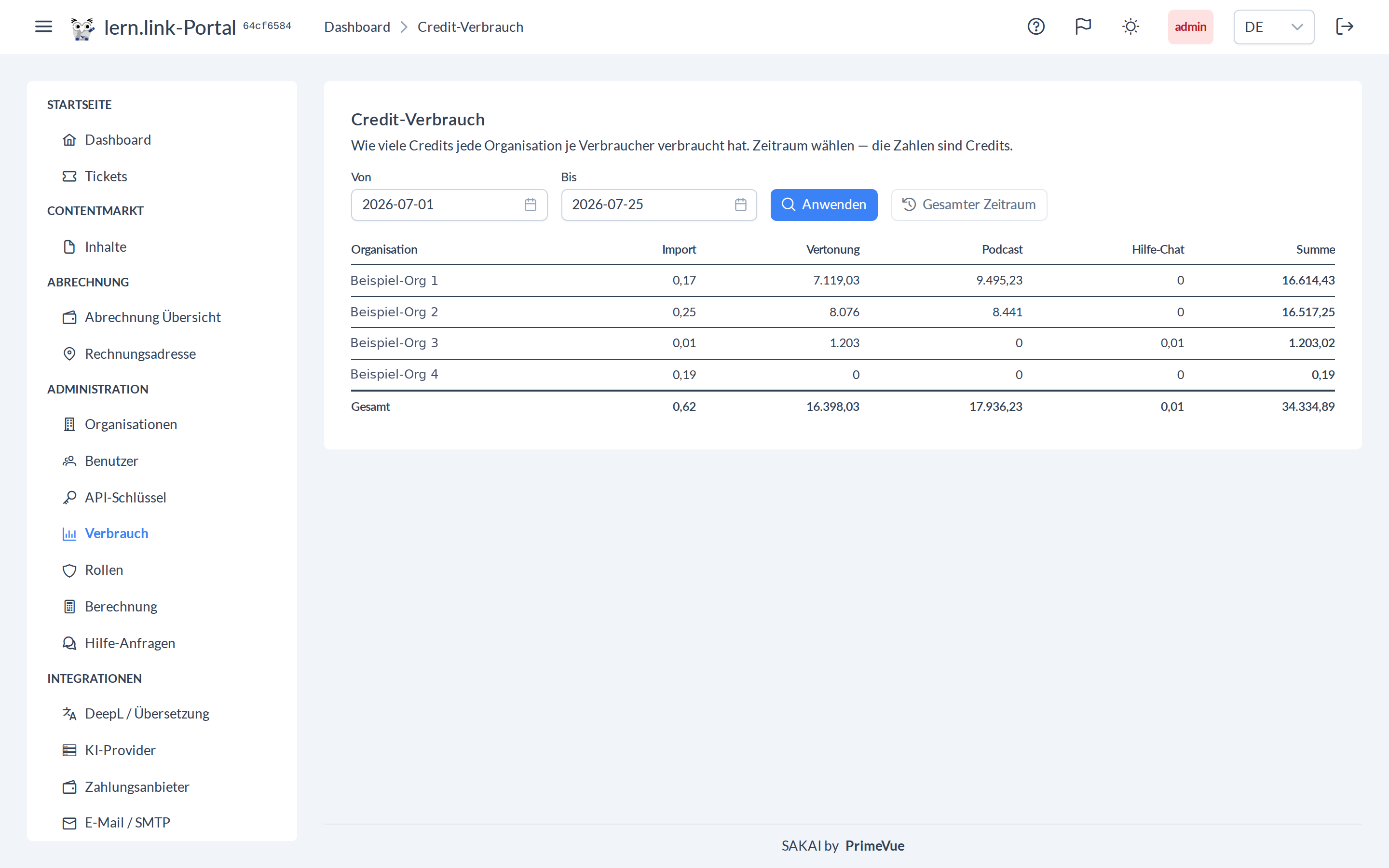
The consumption report shows how much each organisation spent with which consumer. Rows are organisations, columns are the consumers — import, slide view, narration, podcast, translation, quiz, help chat and other — plus a total column and a total row. A period filter narrows the analysis to a billing window. Values are shown in credits.
Pricing (rates and model costs)
The "Pricing" page makes the cost calculation transparent and configurable:
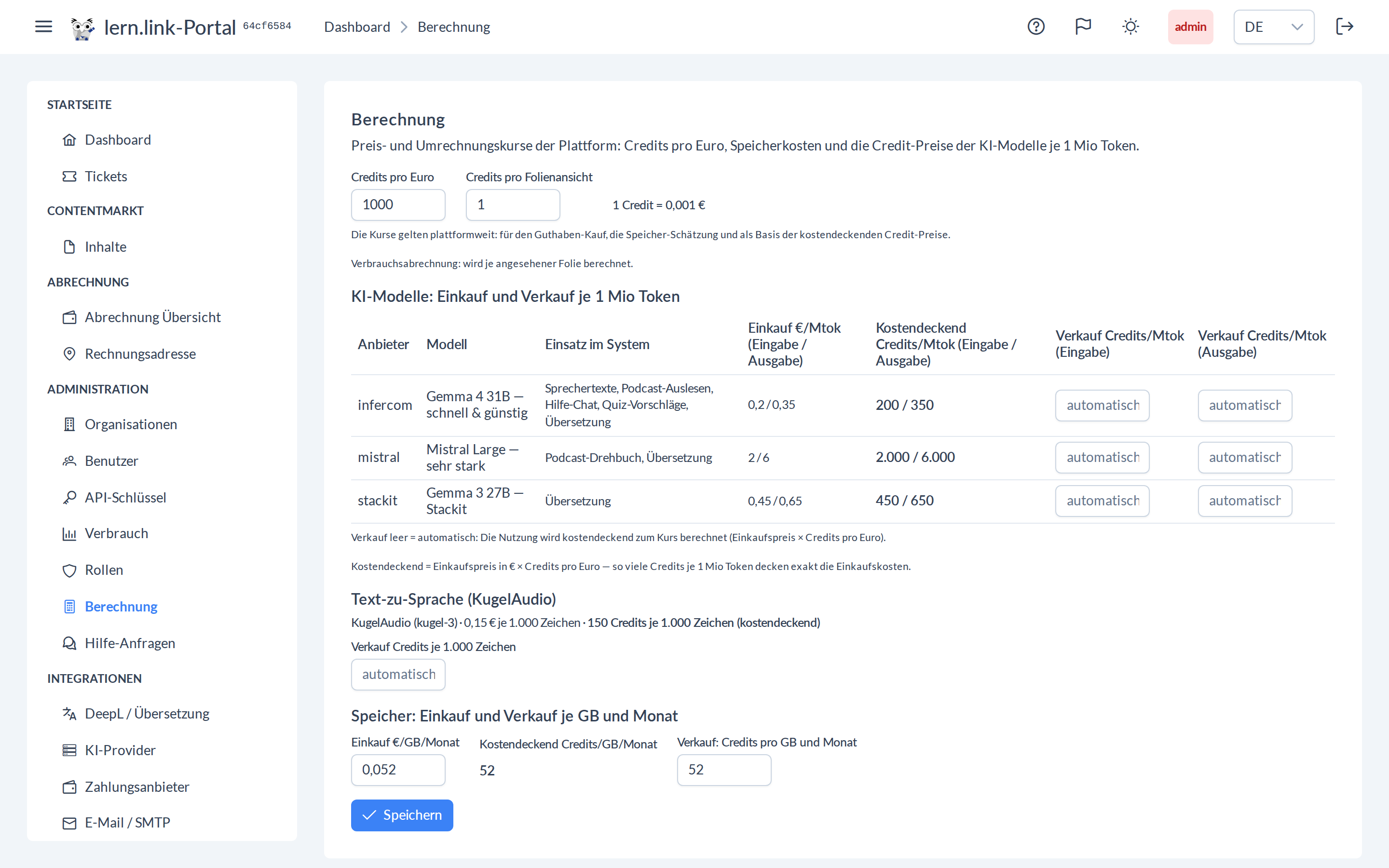
- Credits per euro (sale rate) and storage cost per GB and month — directly editable; from these the note "1 credit = €X.XXX" is derived.
- Model table — per AI provider and model: use in the system (e.g. speaker texts, podcast script, vision check, translation), purchase price per 1 million tokens (input/output), the break-even credit amount per 1 million tokens, and an optional own sale price (empty = automatic/break-even).
The page is reserved for administrators with the corresponding right. Changes take immediate effect on estimates and billing.
API keys
API keys (format llp-...) allow programmatic access to the portal API and sign-in. Treat keys like passwords and revoke them when no longer needed (→ "Integrations").
Sharing and review links
Administrators keep an eye on the sharing settings and review links they have issued: they see each link with its status (active, expired, revoked), can change the expiry date, revoke, reactivate or delete a link, and revoke a public sharing again. Links are created on the content item itself (→ "Content").
SCORM export
Content can be exported as a SCORM package with an optional licence (validity, learner quota, domain binding) and loaded into any SCORM-capable LMS. Package management (lock, unlock, reset, seats) is described under "Player & LMS".
E-mail delivery (SMTP)
So the portal can send notifications, administrators store the credentials of the mail server (SMTP) and verify delivery with a test message (→ "Integrations").
Organisation settings
In the settings you maintain, among other things, language, player defaults, translation engine, payment provider, billing address and e-mail delivery. These settings apply to the whole organisation.
This is also where the card "Show prices" with the switch "Show costs and prices in the portal" lives. It decides whether your organisation is shown amounts in credits and euros — when uploading, narrating, translating and generating questions. Only users with the price-display right may change it; with a flat monthly rate the switch is disabled, because individual prices are never shown then. Billing itself is unaffected — hidden does not mean free of charge (→ "Credits & billing").
Help log
Administrators see in the help log which questions users asked the help assistant — including unanswered ones. This shows where documentation or training is missing.