Documentation
This page gives an overview of the lern.link portal. The further documentation pages follow the areas of the portal menu: Getting started, Content, Editing & AI, Player & LMS, Credits & billing, Administration, Integrations and Privacy & AI. Logged-in users additionally find context help in the portal (the "?" icon, top right) and a help assistant.
What the portal does
The lern.link portal turns PowerPoint presentations (PPTX) into interactive web learning content and can enrich it with AI — quiz questions, speech output and translations. You play finished content in Moodle (via the mod_llp plugin), in WordPress, or in any SCORM-capable LMS.
Quick start (Moodle)
- Install the plugin (once, by the Moodle admin): Site administration → Plugins → Install plugins → upload ZIP. Then enter the API URL and API key (from lern.link).
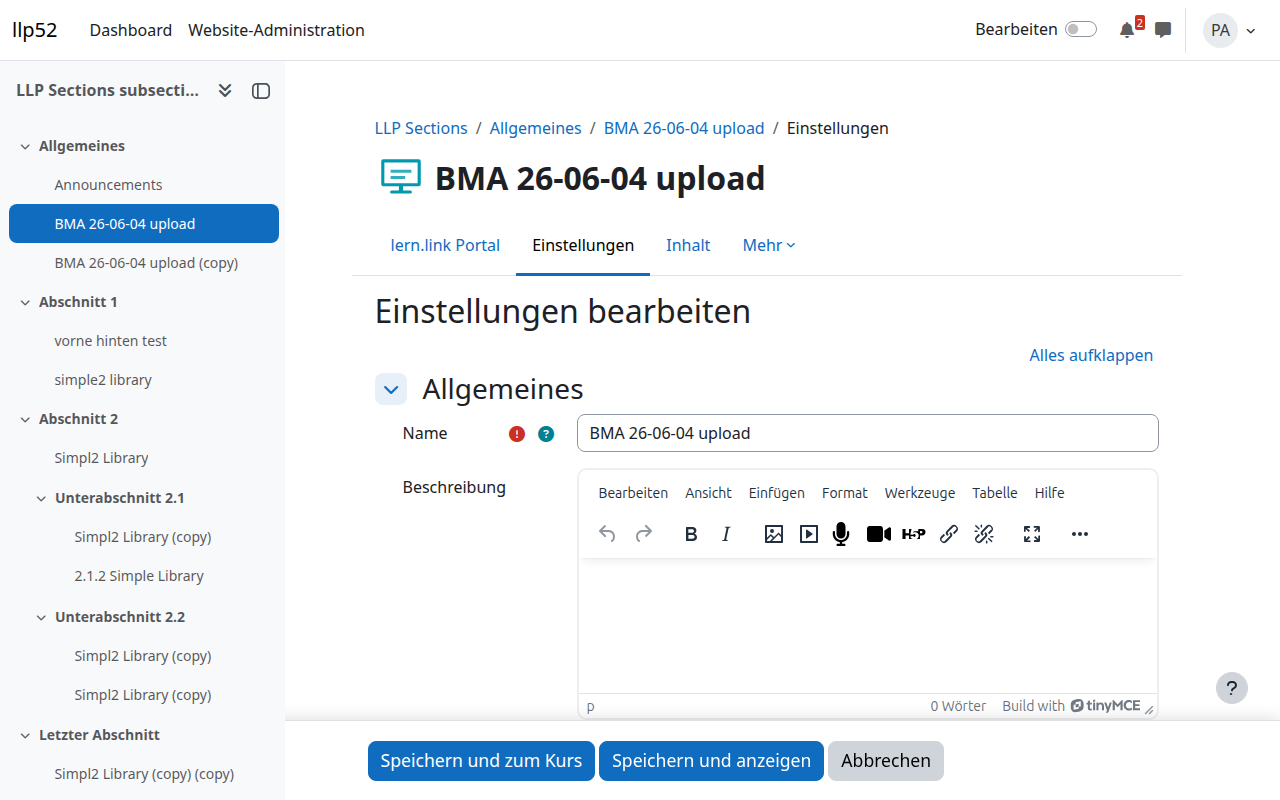
- Create an activity: turn on edit mode → "+ Add an activity" → "lern.link Portal" → Add.
- Upload the PPTX: in the settings form under "Content", upload the file (or pick from the platform) → "Save and return to course". Conversion runs in the background.
- Done: learners open the activity and see the slides right in the browser. Progress and course completion are tracked automatically.
Core features
- Slide-accurate playback — layout, fonts and colours are preserved.
- Player settings — navigation mode, behaviour at the end of the course, optional rating slide; applicable to all activities in a course via a bulk action.
- Ratings — learners rate with 1–5 stars; evaluation by organisation, Moodle instance, course or platform.
- AI enrichment — quiz questions, voice-over (text-to-speech) and translation; billed per use via credits.
- SCORM & learning data — export as a SCORM package with a licence (validity, learner quota, domain binding); progress/completion as xAPI learning data.
- Accessibility & data sovereignty — alt texts and semantic structure automatically; storage in Germany, AI processing exclusively in the EU, zero retention contractually guaranteed with the main AI provider.
Frequently asked questions
Do I need a new tool or training? No. Trainers upload their usual PowerPoint files — conversion runs automatically.
What about complex animations? Simple transitions and appearance effects are carried over. Very special animations are shown as static slides.
Where is my data stored? Your content is stored in Germany (hosted by WeStack, a German company). AI processing takes place exclusively in the EU — with our main AI provider on infrastructure in Germany, with contractually guaranteed zero retention (inputs and outputs are processed transiently only and never stored; your data is never used for training). All data-processing contract partners have their legal domicile in the EU and are subject to European law. A data processing agreement under Art. 28 GDPR is included.
Does it work with our Moodle? The plugin is compatible with Moodle 4.5, 5.2 and 5.3. For other versions, get in touch.
What does the portal cost? Usage-based billing — you pay for actual use, not for unused licences. Details on request.
Can I use content outside Moodle? Yes. Content can be embedded in WordPress and played in any SCORM-capable LMS via a SCORM wrapper.